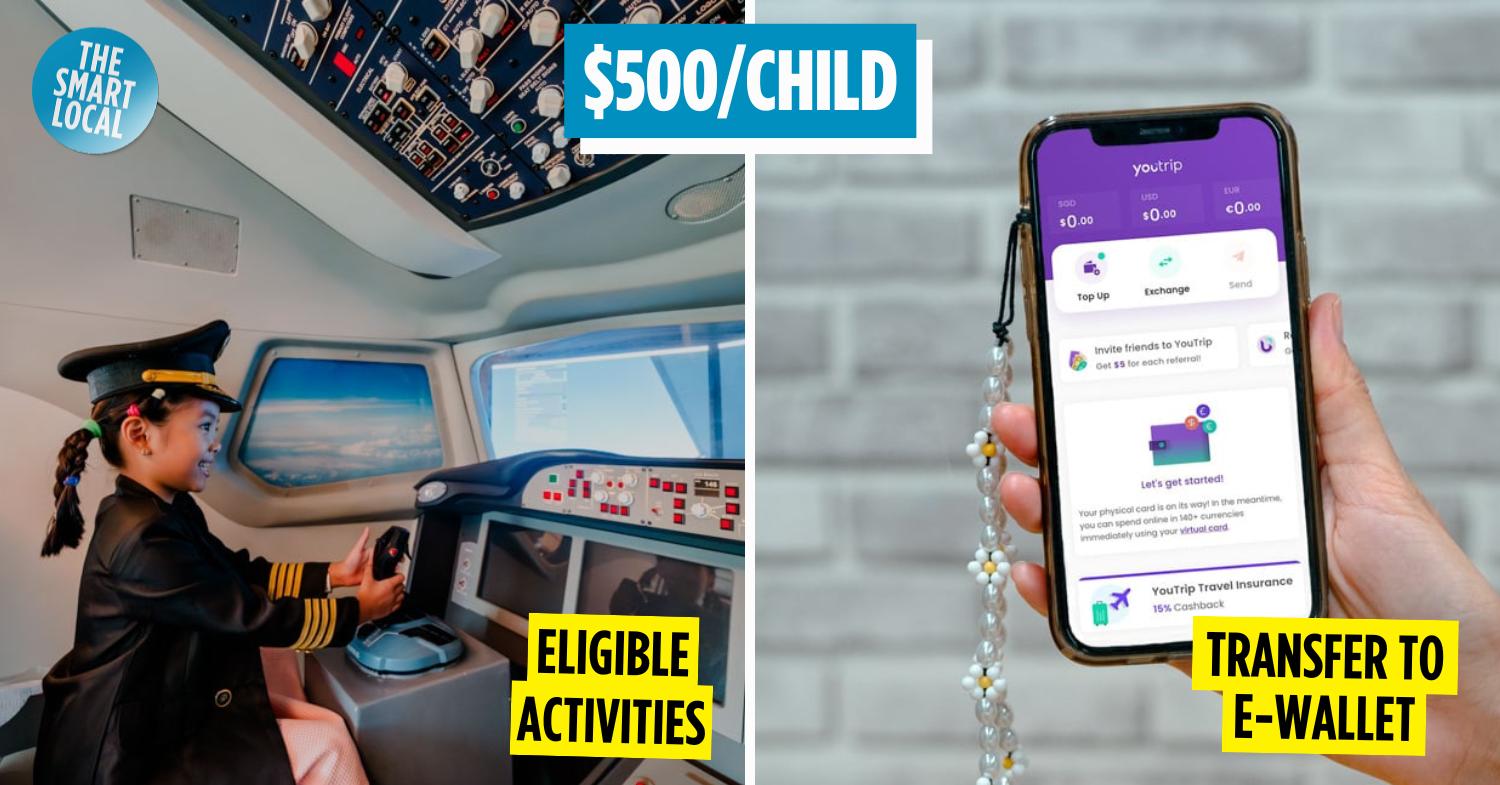

Child LifeSG Credits
While adults aged 18 and above got the SG Culture Pass, younger kids weren’t left out either. There’s the Child LifeSG Credits for parents to use on everything from groceries to playtime. Here’s how it works and where to spend them.
Table of Contents
What are the Child LifeSG Credits & who is eligible?
The Child LifeSG Credits were introduced during Budget 2025 to help families with young children offset everyday expenses. Each Singaporean child aged 12 and below in 2025 would have already received $500 Child LifeSG Credits, which their trustee can access via the LifeSG app (App Store | Google Play).
The credits were disbursed in the week of 7th July 2025 and are valid for 12 months, so be sure to use them up before then. But there’s a hack on how to stretch them beyond the deadline – more on that below.
Parents with newborns in 2025, don’t worry – your baby will get their $500 credits in April 2026, with a full year to use them up starting next year.
How to use the Child LifeSG Credits?
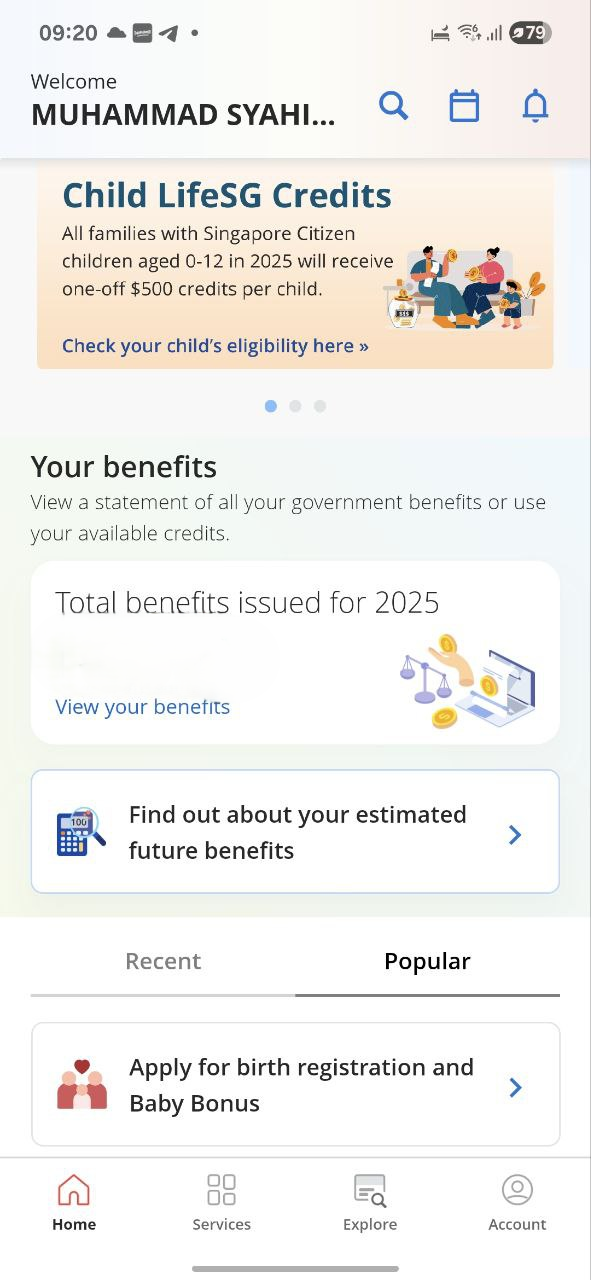
Screenshot from: LifeSG
You can access the credits via the LifeSG app (App Store | Google Play) under “Child LifeSG Credits”. There are no extra steps needed on your end, as the credits have been automatically transferred into the app.
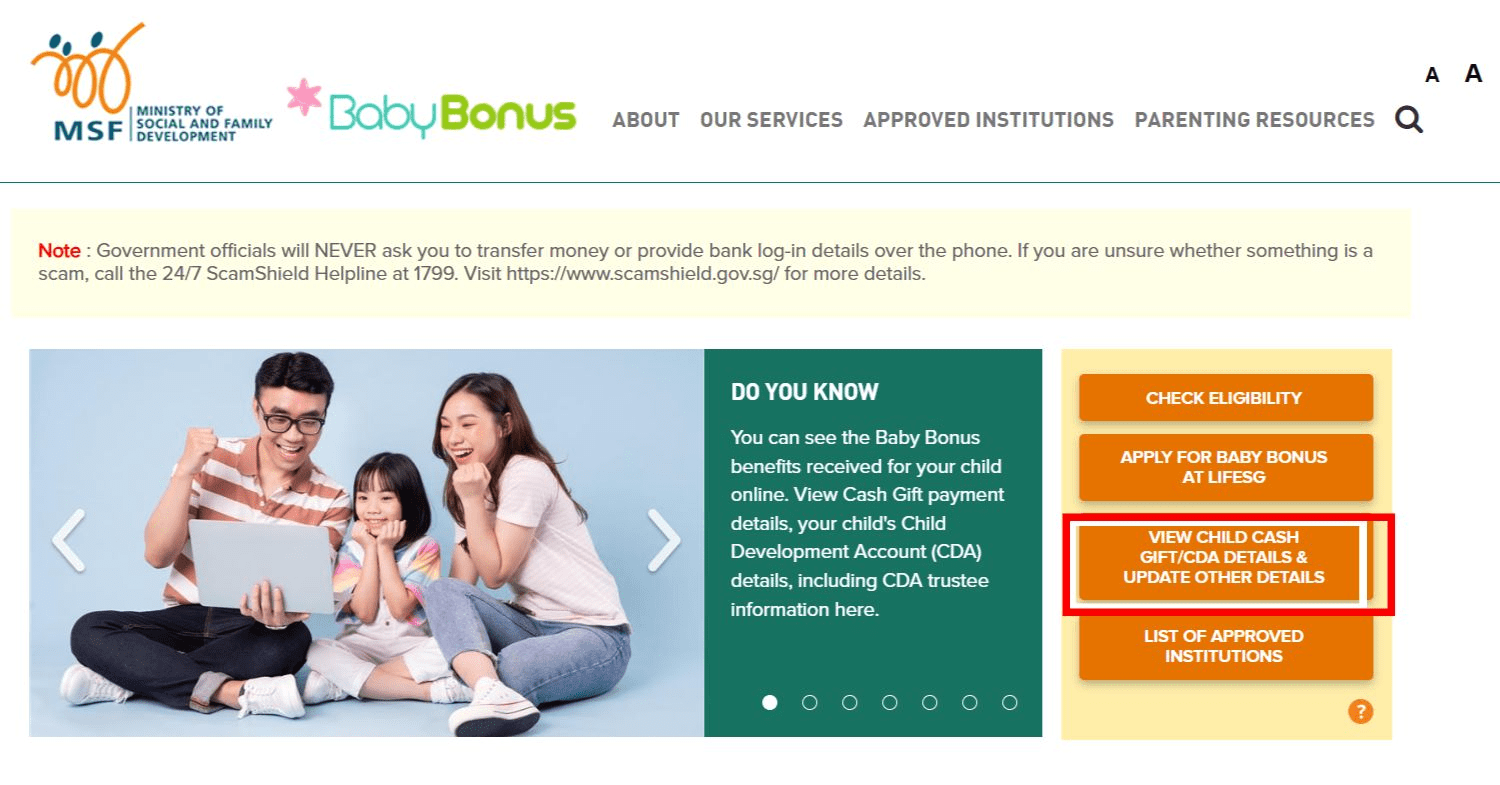 Screenshot from: Baby Bonus
Another way to check is on the Baby Bonus website – just click on “View Child Cash Gift/CDA Details & Update Other Details” to see your remaining credits.
Both the Life SG app and the Baby Bonus website will require you to sign in with SingPass (App Store | Google Play).
Typically, the CDA trustee is whoever submitted the Baby Bonus application when your child was born. If no trustee was established, the credits will automatically go to mum first, then dad. So if you haven’t seen the credits yet, check with your spouse first.
Where to use the Child LifeSG Credits?
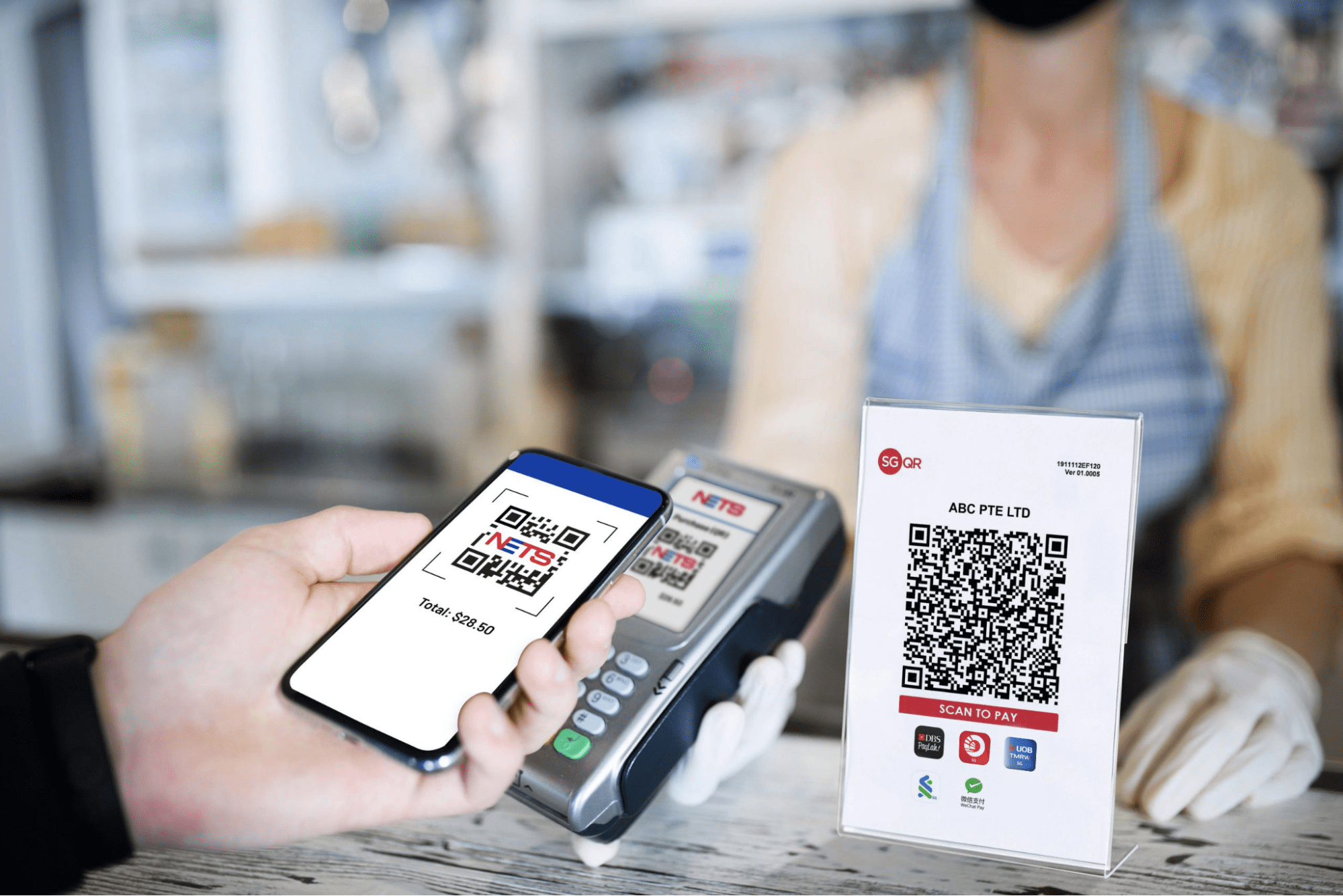 Image credit: NETS
The best part is you can spend these credits almost anywhere – both online and in-store – as long as the merchant accepts NETS QR or PayNow UEN QR payments. The only catch is you can’t use them if the QR code’s tied to a personal number. But other than that, it’s pretty much like having an extra $500 in your e-wallet.
However, from 1st January 2026 onwards, your child’s LifeSG credits cannot be used at optical shops and retail pharmacies. This is no thanks to those parents who’ve tried to use loopholes to spend the credits on themselves or someone apart than the child. Some shops even allowed the parents to encash the credits, which is a huge no-no.
The CDA credits can still be used at pharmacies in hospitals, polyclinics, and GP clinics that have registered as a Baby Bonus Approved Institute, as they are not considered retail pharmacies.
What can I do with the Child LifeSG Credits?
Go grocery shopping

As mentioned earlier, the credits were meant to help families offset their expenses on necessities, and that includes groceries. Your options span basically every mainstream supermarket and grocery store in Singapore. If you’re feeling a little fancy, FairPrice Finest is a good pick, or go all out at FairPrice Xtra, where you’ll get to snag electronics and clothes on top of your weekly grocery run.
 Image adapted from: Little Farms via Facebook, Ryan’s Grocery
Little Farms and Ryan’s Grocery offer fresh and organic produce, and Australian-imported vegetables, fruits, and organic meats, respectively.
Muslim families can also stock up at Halal-friendly supermarkets and grocery stores such as SuzyAmeer, Toko Warisan, Melvados, Zach Butchery, and The Meatery.
Transfer the amount to another e-wallet
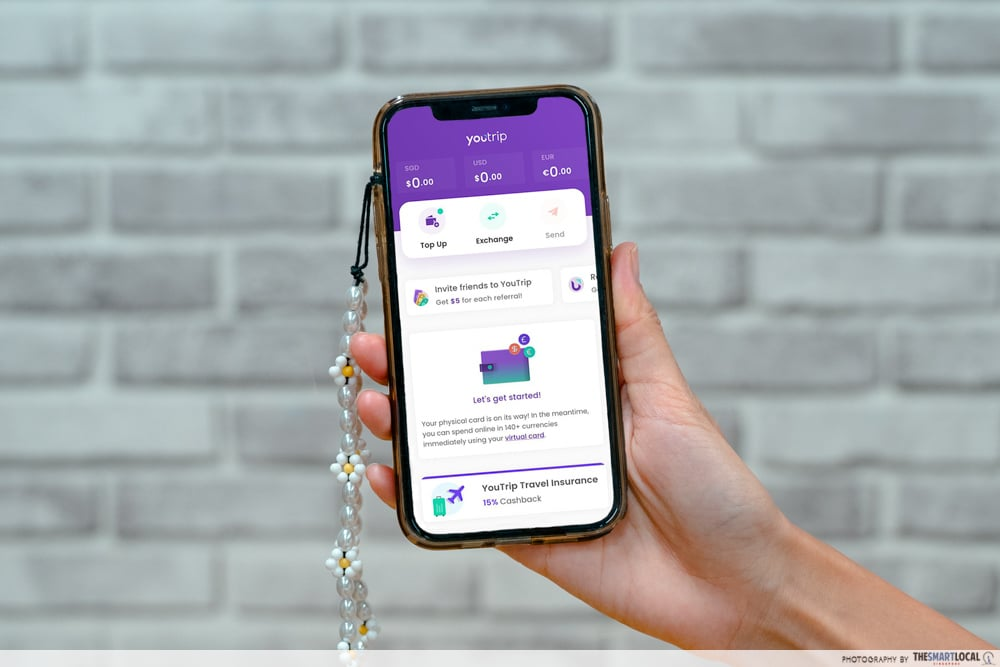
Let’s be real here – the LifeSG app isn’t exactly the first thing that comes to mind when we want to pay for something. We’re more used to apps like ShopeePay or YouTrip, which is why you’ll be glad to find out it’s possible to transfer the credits to another e-wallet. Once you’ve done that, you won’t have to worry about forgetting to use them before they expire.
The process is simple – here’s how it works:
How to transfer Child LifeSG credits to YouTrip
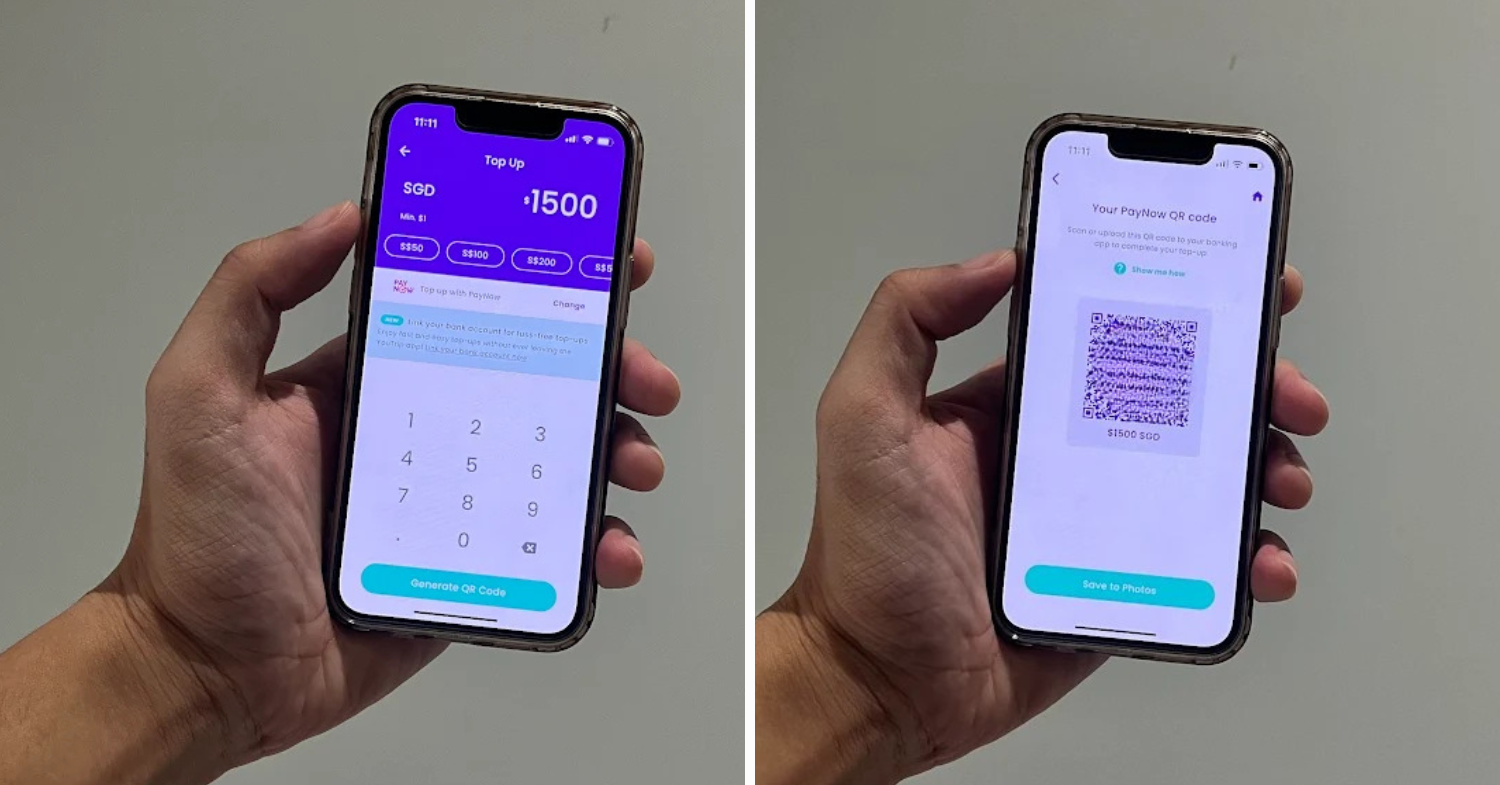 Image adapted from: Nathan Koh
- Log in to your YouTrip account.
- Tap “Top Up” and enter the amount you want to withdraw. For example, if you’ve got 3 kids eligible for credits, that’s $1,500.
- Hit “Generate QR Code” and save it to your gallery.
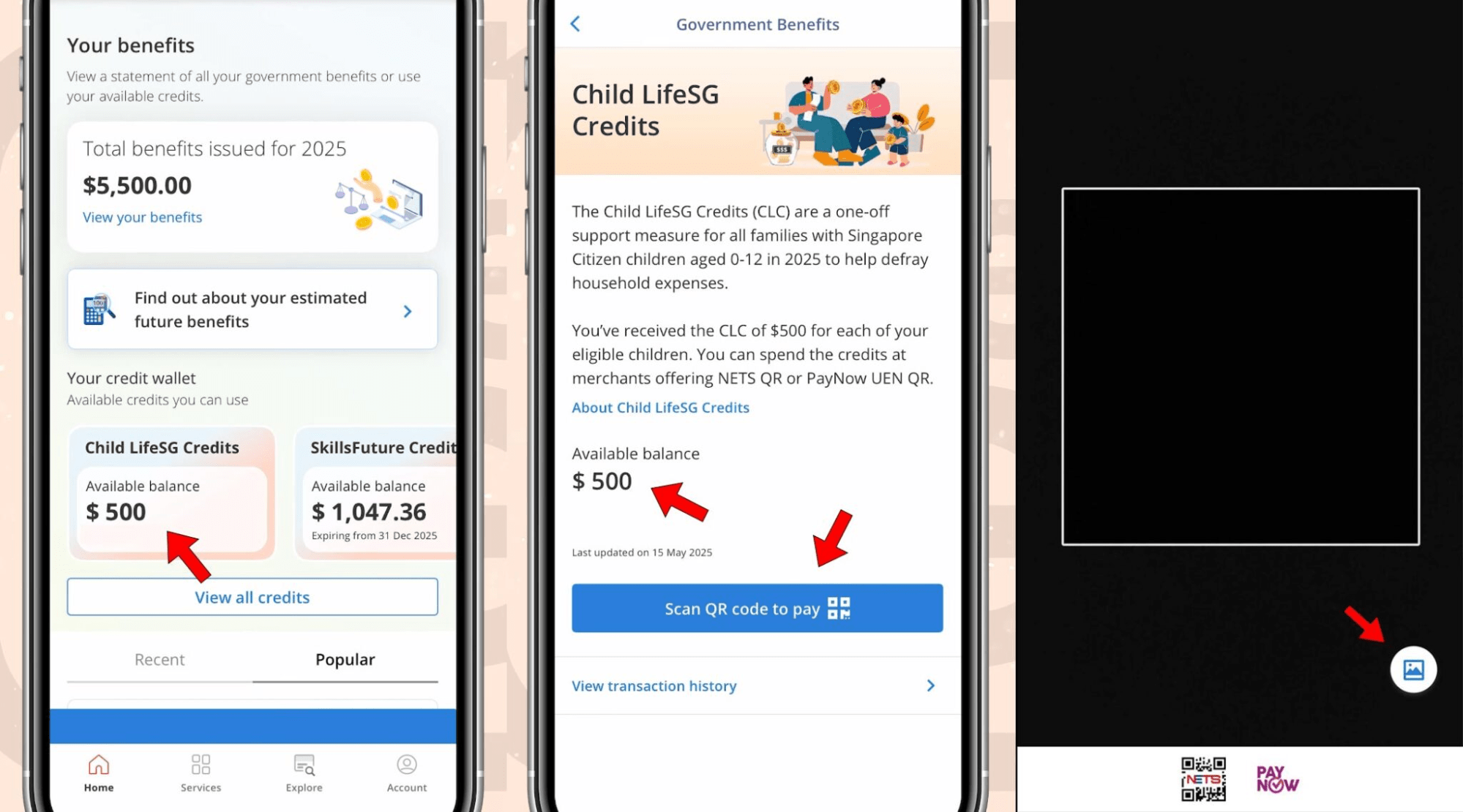 Image credit: Ministry of Social and Family Development
4. Then, open the LifeSG app, use the “Scan QR code to pay” function, and scan your QR code.
5. Confirm the payment.
6. Tap on “Transfer”, then choose “Withdraw to Own Account” to move the funds.
How to transfer Child LifeSG credits to Shopee
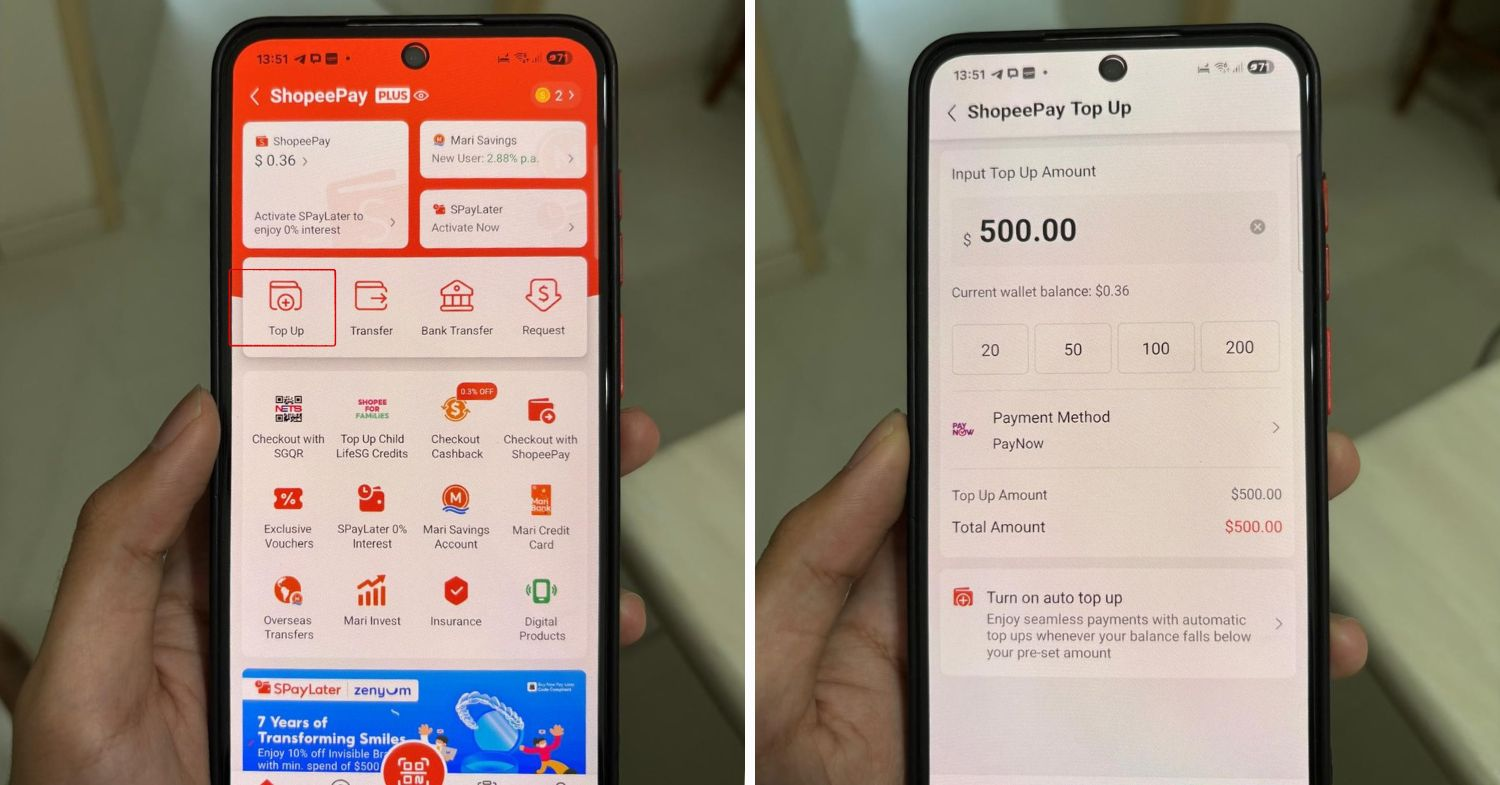 Image adapted from: Syahiran Sean
- Log in to your Shopee account.
- Go to the ShopeePay section and tap “Top Up”. Ensure your payment method is set to PayNow.
- Enter the amount, then generate the QR Code and save it to your gallery.
- Then, open the LifeSG app, use the “Scan QR code to pay” function, and scan your QR code.
- Confirm the payment.
- Tap on “Transfer”, then choose “Withdraw to Own Account” to move the funds.
Purchase books & stationery at bookstores

Image credit: CapitaLand
Knowledge is power, and you can fuel your kid’s brainpower with a haul from bookstores like Kinokuniya or Popular. Of course, niche bookstores in Singapore like Book Bar and Epigram Books are options too.
Go on shopping mall trips

Sure, while shopping in itself isn’t exactly a necessity, it’s nice to spoil the kids once in a while at the latest malls in Singapore, where most, if not all, merchants will accept NETS QR or PayNow UEN QR payments.
Bring the kids out for a nice meal at F&B establishments
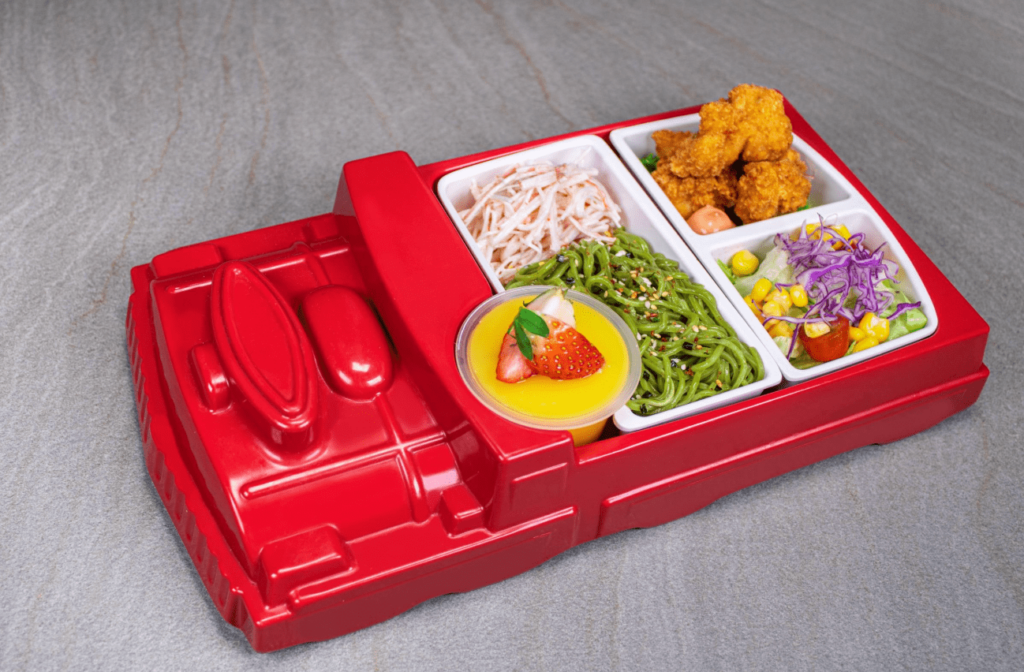
Image credit: Tajimaya Yakiniku
Kids love eating out, but you can get more bang for your buck by hitting up restaurants with “kids eat free” promos. Plus, some of these places also have their own play areas for the kiddos to burn some energy before tucking into their meals.
Deposit the money into your kid’s Child Development Account
 Image for illustrative purposes only.
With the money in your bank account now, you also have the option of transferring it over into your kid’s Child Development Account. That way, the money grows with compound interest over time, giving you a boost when it’s time to enrol your child in a preschool in Singapore, for instance.
Enjoy family bonding time with kid-friendly activities

Last but not least, these credits can be spent on pretty much any kid-friendly activity in Singapore that accepts NETS QR or PayNow UEN QR payments. With the year-end school holidays coming up soon, there are plenty of kid-friendly activities lined up to choose from; it’s the perfect time to put those Child LifeSG Credits to good use and let the family have some fun without stressing over costs.

Or escape the scorching sun by visiting indoor playgrounds like Adventure HQ or Kiztopia Marina Square, where both kids and adults will have hours of non-stop fun.
Put the Child LifeSG Credits to good use
The launch of the Child LifeSG Credits gives kids a chance to finally enjoy the perks the gahment has been rolling out this SG60. All you need to do is check that the merchant accepts NETS QR or PayNow UEN QR payments, and you’re free to spend the credits however you like.
For other informative guides, check out:
- Freebies & samples for new mothers in SG
- Best confinement centres & services in SG
- Best apps for kids
Cover image adapted from: NETS
Originally published on 9th September 2025. Last updated by Josiah Neo on 7th October 2025.