

Causeway traffic apps & websites
In case you didn’t already know, the Johor-Singapore Causeway is one of the busiest land border crossings in the world, with over 300,000 people making the trip daily. Yet, every weekend, we Singaporeans willingly throw ourselves into the chaos of traffic jams and snaking queues – all in the name of cheap massages, late-night suppers, and affordable supermarket runs.
But that’s also precisely why frequent JB travellers have a pre-trip ritual: checking the Causeway traffic apps and websites. And many of these free apps and websites give you real-time updates, so you’ll know if it’s worth the butt cramps from braving the jams.
Table of Contents
- Causeway traffic apps & websites
- Breakdown of the Causeway traffic apps & websites
- – Websites –
- 1. OneMotoring
- 2. Jalanow.com
- 3. Trafficiti
- 4. Motorist
- 5. Johortraffic.com
- – Apps –
- 6. Checkpoint.sg
- 7. Beat the Jam
- – Bonus –
- 8. CHECK-TIPS
- How do the Causeway traffic apps & websites get their data?
- Are the Causeway traffic apps & websites accurate?
Breakdown of the Causeway traffic apps & websites
| Website/App | Features | Best for |
| OneMotoring |
|
Impromptu trips |
| Jalanow.com |
|
Seasoned SG to JB drivers |
| Trafficiti |
|
Those who want to explore beyond JB |
| Motorist |
|
Frequent travellers to JB |
| Johortraffic.com |
|
Those who visit Mount Austin on every trip |
| Checkpoint.sg |
|
Detailed planners |
| Beat the Jam |
|
Detailed planners |
| CHECK-TIPS |
|
Older travellers who aren’t as tech savvy |
– Websites –
Before you pack your bags and set your GPS to Johor Bahru City Square, take just a few seconds to check one of these Causeway traffic websites for the latest updates. A quick warning: some cross-border MPV services advertised online operate without proper licences, which are illegal and could put you at risk. For a safer journey, check out our guide to licensed Singapore-to-JB taxis instead.
1. OneMotoring
User-friendly website that provides straightforward information
Screenshot from: OneMotoring
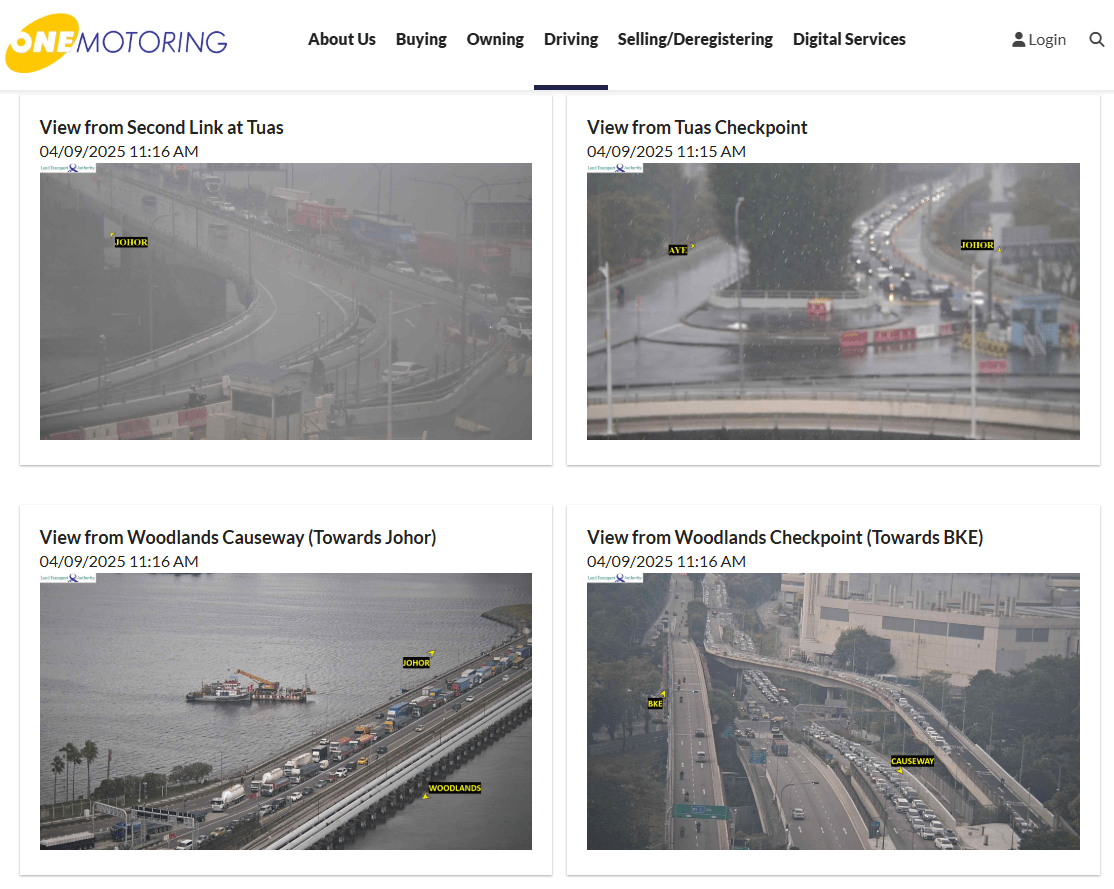
The OneMotoring website is your best bet for fuss-free information – it’s an official website by LTA after all, so you know the info here is reliable. The page refreshes every minute and gives you a clear 4-cam view of the current situation at both Woodlands and Tuas Checkpoints, showing traffic in both directions.
Screenshot from: OneMotoring
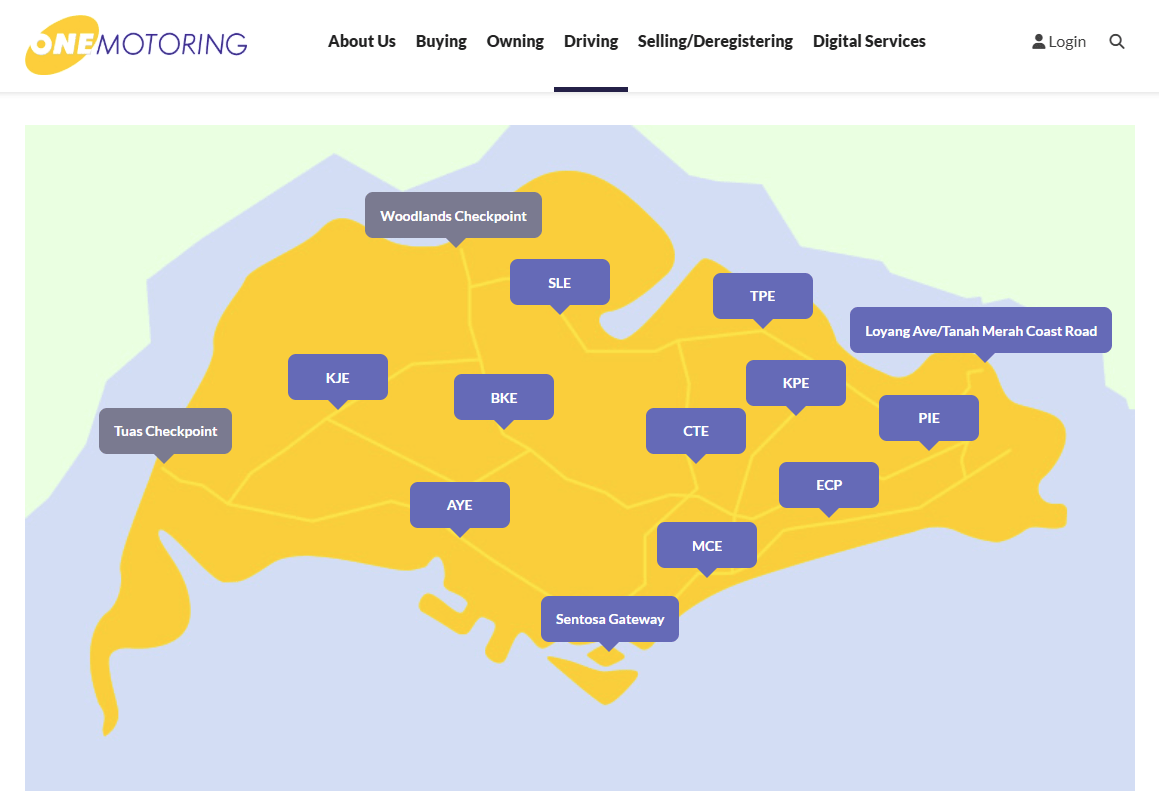
There’s also a handy map at the top that lets you click on different expressways around Singapore to see their live traffic cameras. This is useful if you want to plan your route into JB based on where you’re starting from.
But take note that OneMotoring doesn’t provide traffic forecasts or trend analysis like some of the other apps do. So it’s more of a quick “what’s happening right now” tool – great for those planning an impromptu drive across.
See current Causeway traffic conditions on the OneMotoring website.
2. Jalanow.com
Estimated Causeway crossing duration & projected traffic speed
Screenshot from: Jalanow.com
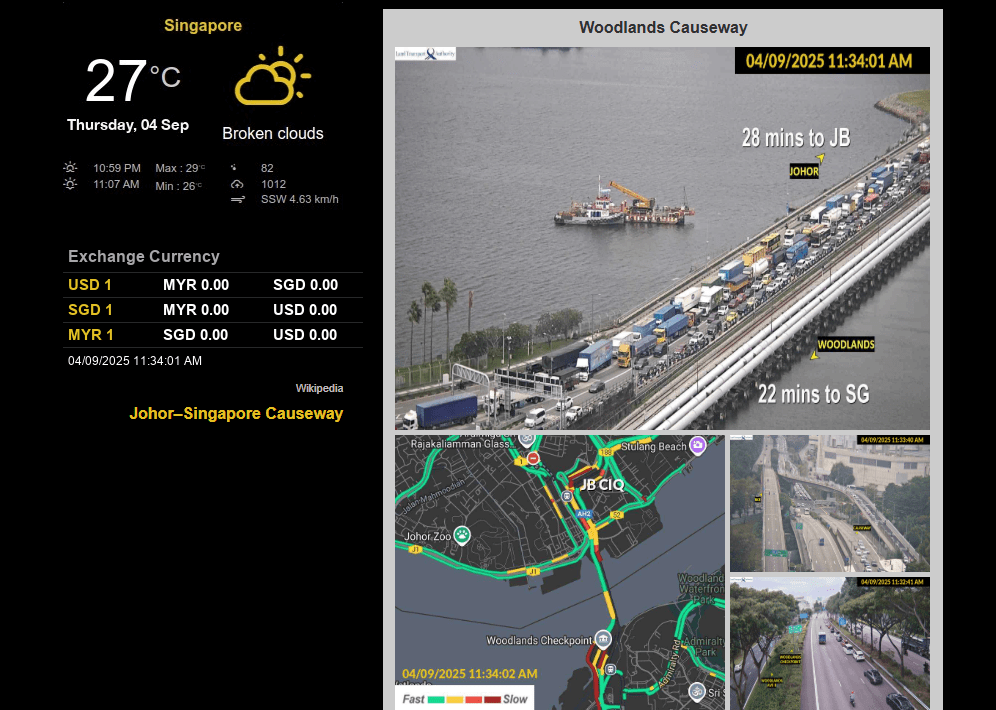
For more than just camera feeds, Jalanow.com is the website to check. It compiles traffic cameras from various sources, including LTA, but it ups the game with estimated crossing times for both directions. This lets you know roughly how long you’ll be stuck in the jam before committing to the drive.
There’s also a colour-coded map showing projected traffic speed on the Causeway, from fast to slow, for you to mentally prepare whether you’ll be cruising or just sitting. It even shows you the current weather in Singapore and JB, which could make or break your plans.
 Screenshot from: Jalanow.com
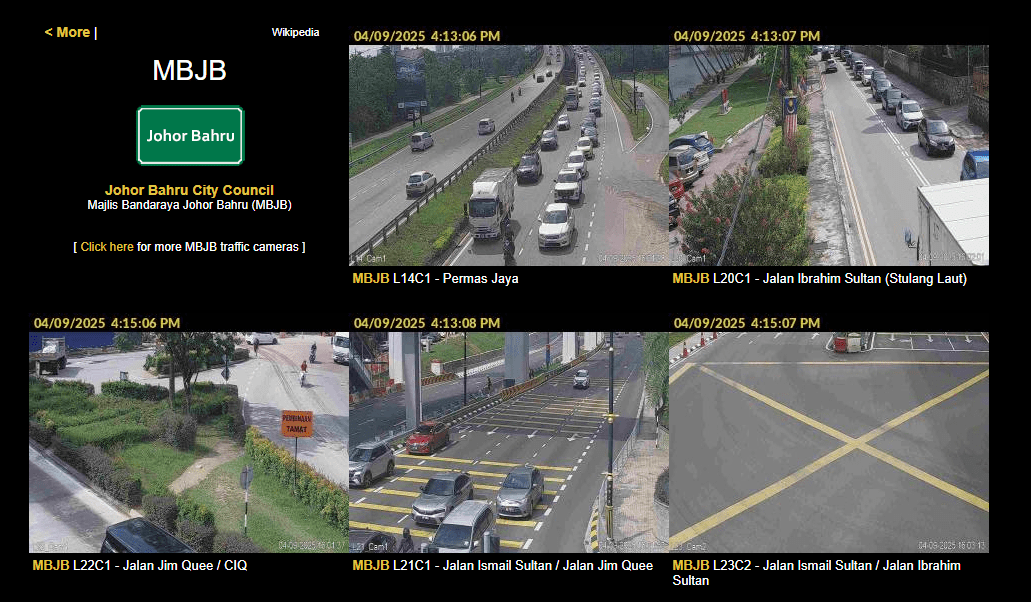
Seasoned SG-JB drivers will also appreciate that it lets you check traffic on busy JB roads like Jalan Jim Quee, which is located near CIQ.
See current Causeway traffic conditions on the Jalanow.com website.
3. Trafficiti
Compilation of traffic cameras beyond the Causeway
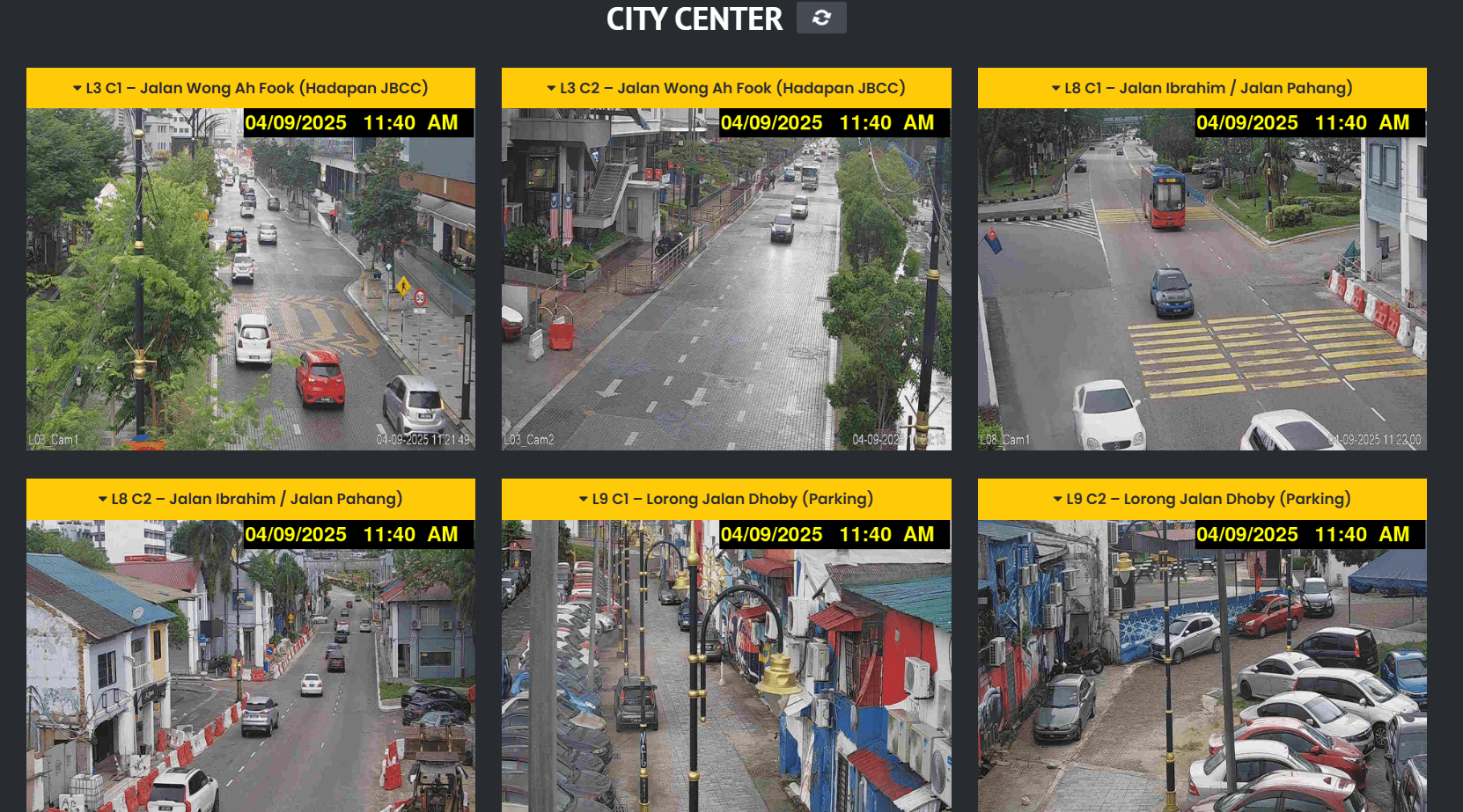
Screenshot from: Trafficiti
Most sites stop at showing you the Causeway jam, but Trafficiti also lets you toggle to Johor Bahru MBJB Traffic Cameras to peek at what’s happening on JB’s roads in real time. This includes hotspots like Jalan Wong Ah Fook and Lorong Jalan Dhoby – the JB cafe-hopping stretch Singaporeans love.
And if you’re venturing further, the site also covers routes towards Skudai and Kota Tinggi. Bookmark this if you’re planning to explore beyond JB’s main streets.
See current Causeway traffic conditions on the Trafficiti website.
4. Motorist
Save preferred cameras for quicker access
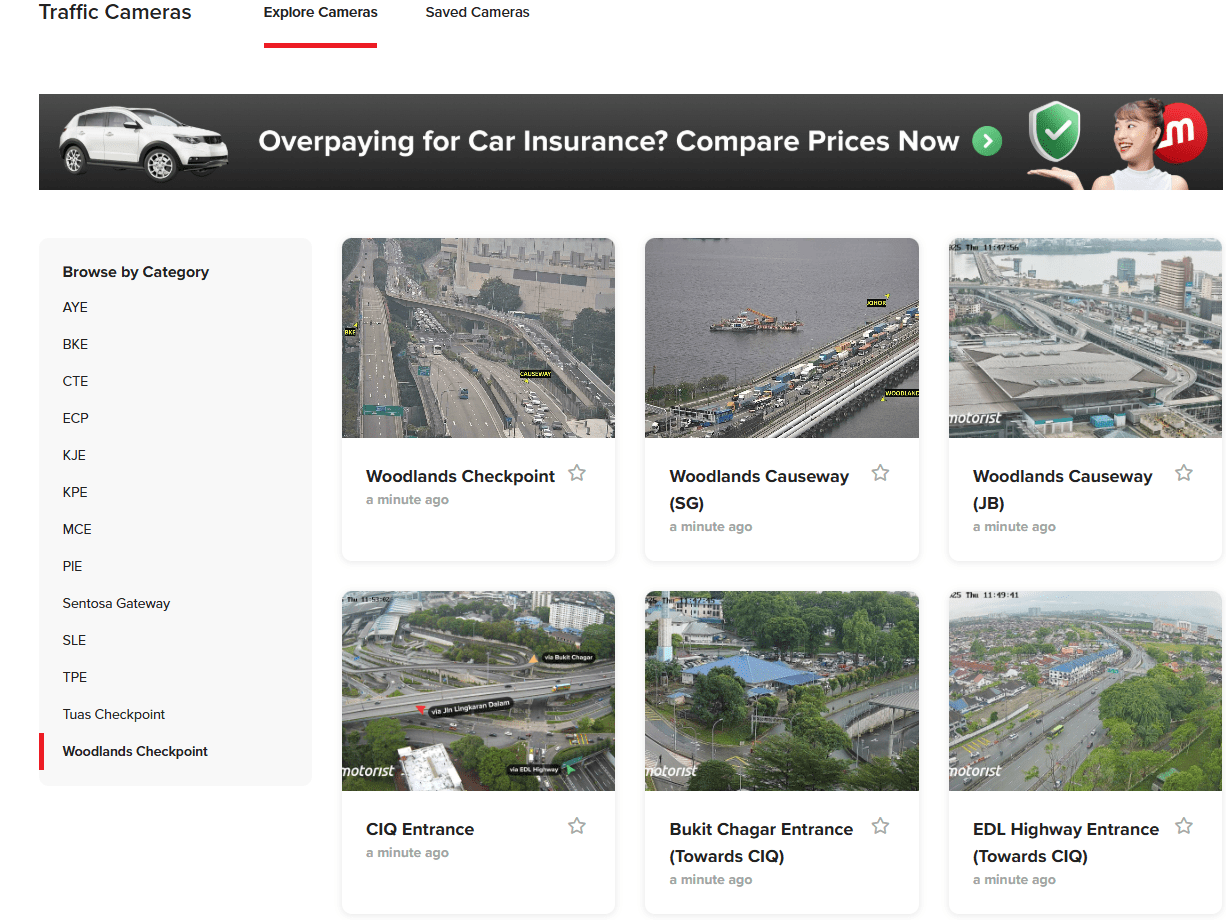
Screenshot from: Motorist
The Motorist site gives you more than just a peek at the Causeway traffic. On the Woodlands Checkpoint page, you’ll also get views of CIQ, Bukit Chagar, and EDL Highway entrances – the roads you’ll be on once you cross into JB. The Tuas Checkpoint page is a little simpler, though, showing only the basics.
One neat feature here is the “Saved Cameras” tab. Once you’ve signed up for a free account, you’ll get to save your go-to camera views for quicker access the next time you’re making the trip. This is super handy if you travel to JB often and don’t want to keep scrolling through the whole list.
See current Causeway traffic conditions on the Motorist website.
5. Johortraffic.com
See traffic conditions in different parts of Johor
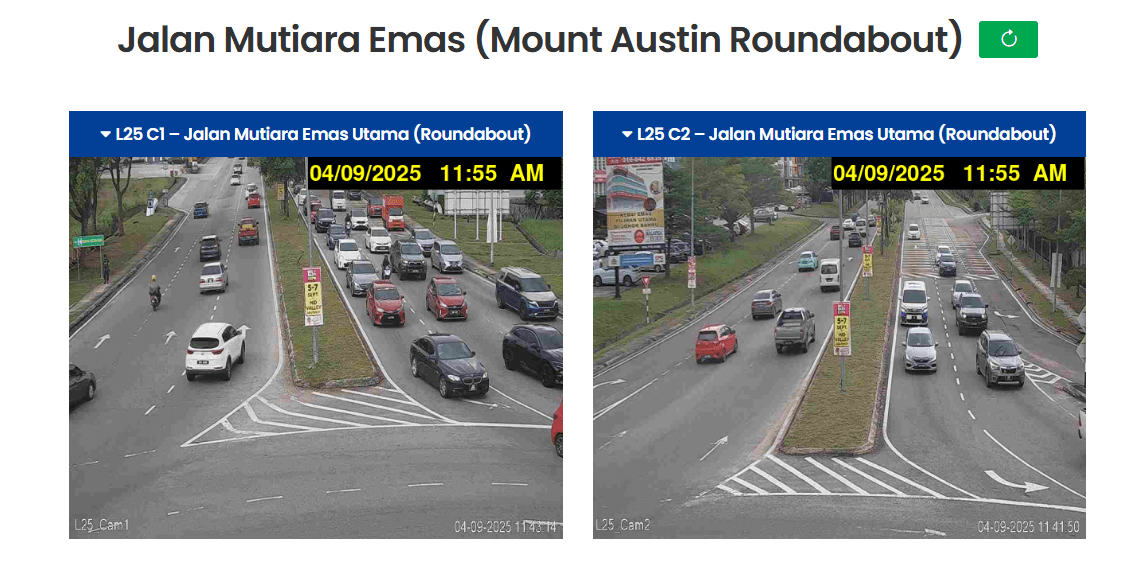
Screenshot from: Johortraffic.com
Johortraffic.com works like Trafficiti, giving you real-time updates of traffic conditions on JB roads beyond just the Causeway. But the key difference is that it also covers the ever-popular Mount Austin area, particularly the infamous roundabout that almost always clogs up during peak hours.
So if your JB trips must include bubble tea runs, cafe-hopping, or KTV nights at Mount Austin, this website will help you decide whether to brave the crawl or make alternative plans.
See current Causeway traffic conditions on the Johortraffic.com website.
– Apps –
Causeway traffic websites are great for a quick check, but if you don’t mind the extra step of downloading an app, you’ll often get more features packed in.
6. Checkpoint.sg
Travel time trend & forecast charts
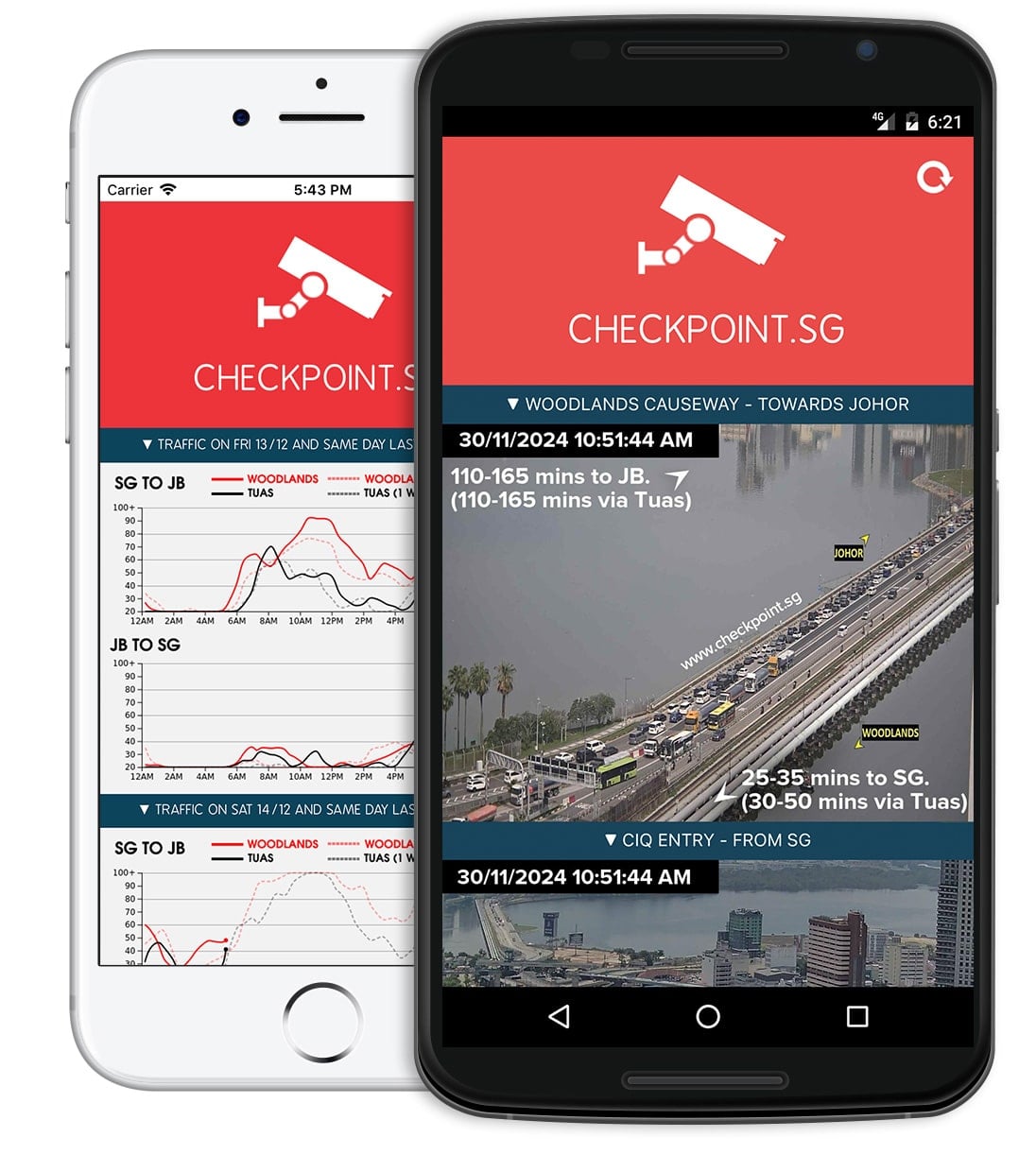
Image credit: Checkpoint.sg
Those who need the full lowdown before crossing into JB will appreciate the Checkpoint.sg app. Beyond showing live traffic conditions, it also gives travel time estimates – something only 1 Causeway traffic website on this list offers.
There are also trend and forecast charts, so you’ll get to see which days and times are jam central and plan your trip accordingly. The app even has real-time rain cloud analysis, a 2-hour weather forecast, and the live exchange rate all within its interface.
This is the app for the planners who like to travel smart, not stuck in a seemingly never-ending wait.
Download the Checkpoint.sg app (App Store | Google Play).
7. Beat the Jam
Forecasts & useful travel info all in 1 place
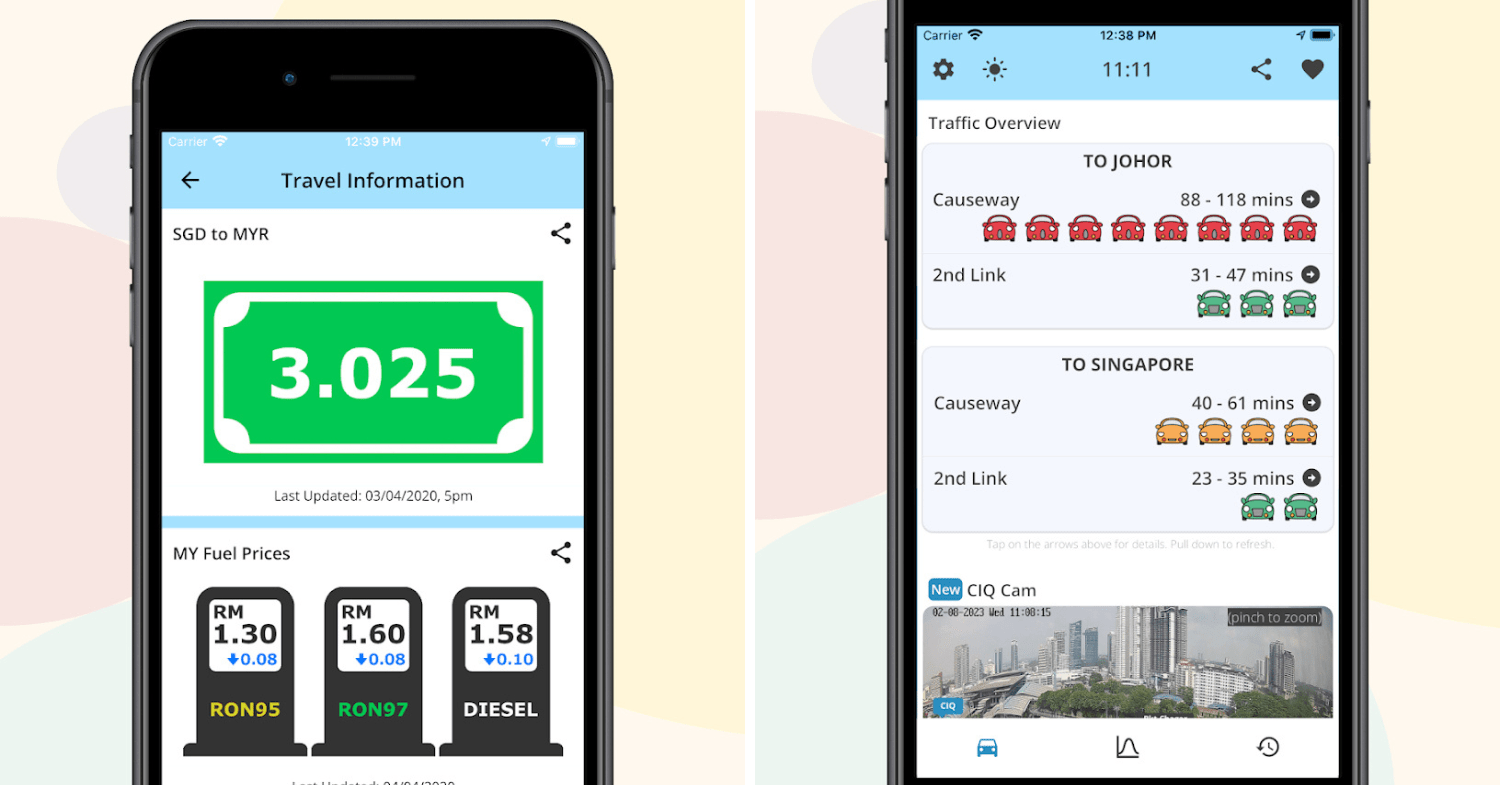
Image adapted from: Google Play
For those of us who plan our JB trips like a military operation, Beat the Jam is a lifesaver. It offers a 24-hour traffic forecast using historical data, which you can check up to 6 days ahead – great for plotting your weekend escape.
The app also packs in practical travel info, like the current SGD and MYR exchange rate, and fuel prices in Malaysia. Heads up: skip the subsidised RON95 petrol unless you fancy trouble.
On top of that, Beat the Jam has teamed up with brands like Motorist, letting you handle car services – buying, selling, or even scraping your vehicle – straight from the app.
Download the Beat the Jam app (App Store | Google Play).
– Bonus –
Apart from all the websites and apps, there’s a lesser-known ICA hotline that gives you real-time Causeway traffic updates. Maybe let your parents or grandparents know about this too.
8. CHECK-TIPS
ICA’s hotline for real-time traffic information
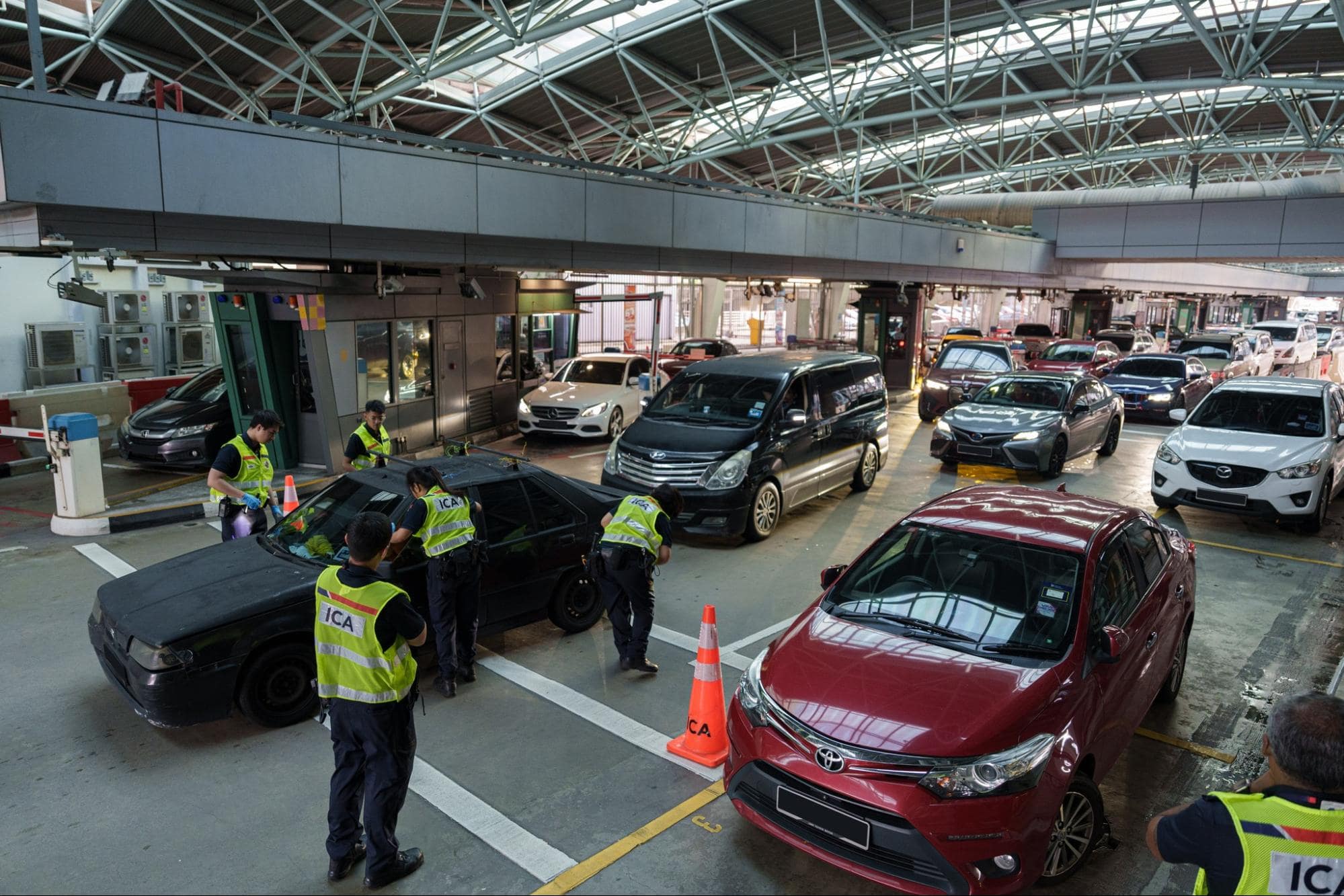
Image credit: Immigration & Checkpoints Authority via Facebook
Call CHECK-TIPS by dialling 6863 0117 and you’ll get an automated call where you can specify exactly what you need using your phone’s keypad. Here’s what to expect:
- Choose your language.
- Select whether you’re checking traffic at Tuas or Woodlands Checkpoint.
- Select whether it’s for departure from Singapore or arrival from Malaysia.
- Then choose if you’d like to find out about the traffic before or after customs.
Once you’ve made your selections, the system will read out the traffic status, like “traffic is heavily congested.”
Press 0 and start again to check another route or checkpoint.
How do the Causeway traffic apps & websites get their data?
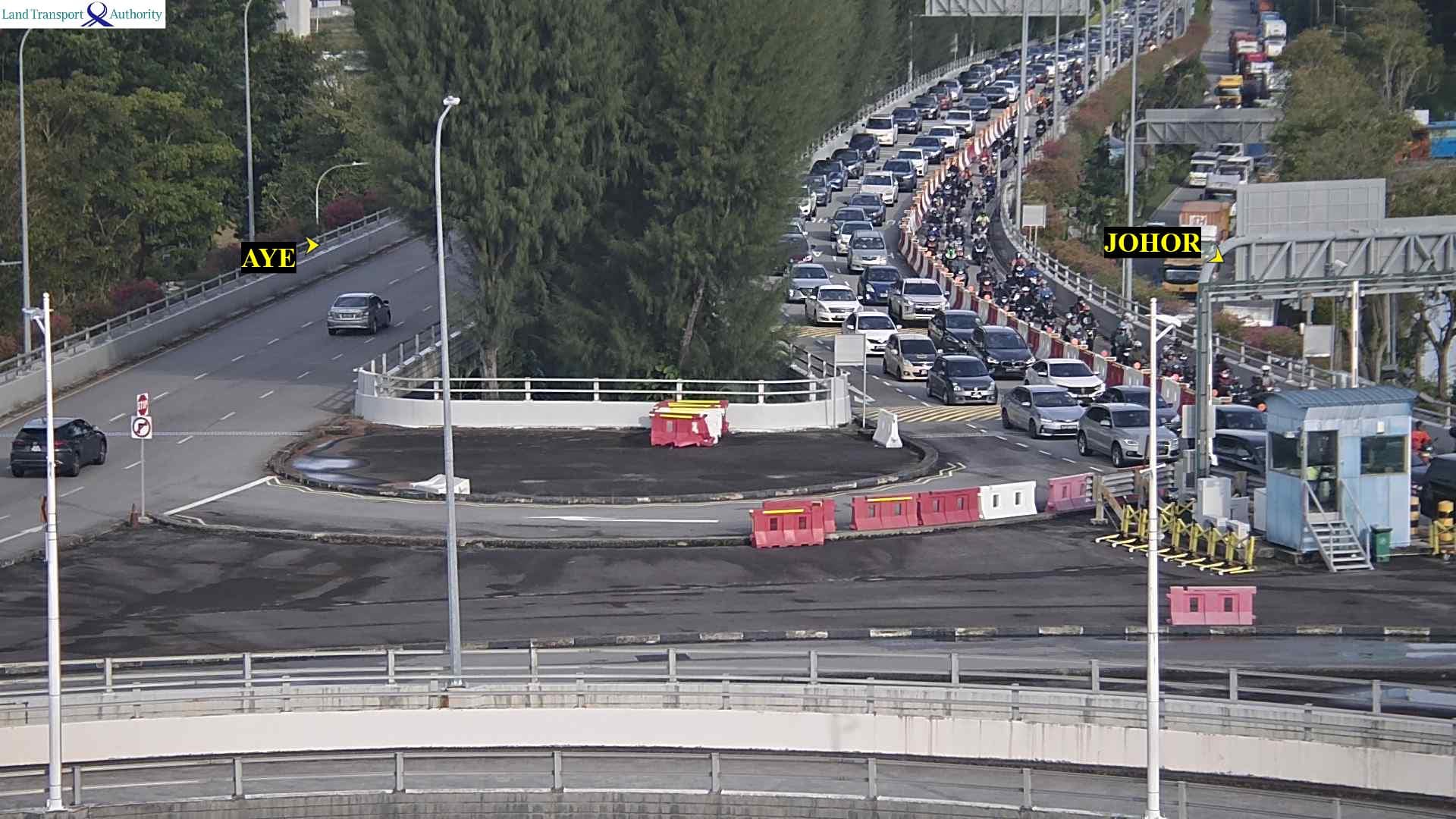
Image credit: OneMotoring
Most apps and websites pull data from a mix of sources to give you a clearer picture:
- Live traffic cameras: Both LTA and Malaysian authorities have CCTV cameras set up along the checkpoints. Apps tap into these feeds, allowing you to see the jam unfolding in real time.
- GPS and sensor data: Platforms like Google Maps and Waze use GPS signals from drivers’ phones to gauge speed and congestion. If cars are crawling or stuck, the app knows immediately.
- Official updates: Some sites cross-check with traffic agencies or checkpoint authorities for lane closures, operational changes, or other important updates.
Are the Causeway traffic apps & websites accurate?
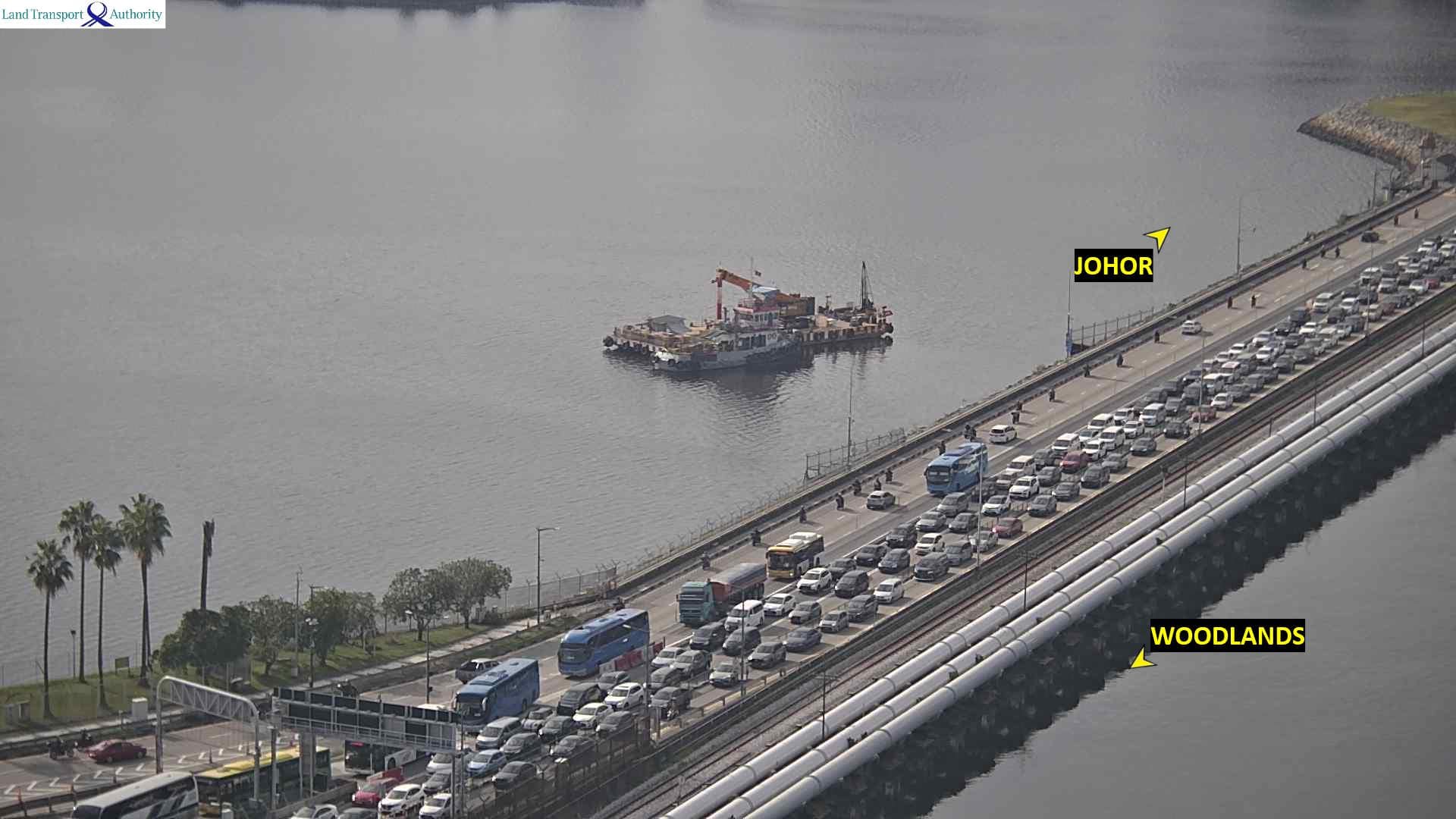
Image credit: OneMotoring
For the most part, yes – these apps and websites pull live data from cameras, sensors, and user reports. But traffic is unpredictable. A sudden surge of travellers, a car breakdown, or stricter customs checks can double your ETA before you even realise it.
So while these tools are great for getting a general sense of what you’re in for, our advice is not to treat them as gospel. Always add a buffer to your timing, just in case.
P.S. You could make the process at the Singapore checkpoint a little quicker by using the ICA QR code.
Start your JB trip with a quick Causeway traffic check using these apps & websites
Crossing the Causeway will probably never be completely stress-free, but at least you’ll know what you’re getting into before you hit the road. And the truth is, we might grumble about the jams, but somehow, we still find ourselves making the trip every weekend.
More articles on crossing the Causeway:
- Singaporeans share their JB hacks
- RTS Link between SG & JB
- Things to do near the new JB train station
Cover image adapted from: OneMotoring