
WhatsApp username
Ever since PayNow removed nicknames and used “X”s to replace certain letters in our names, many of us have been stuck with some pretty questionable masked names instead. The results can get interesting, to say the least. One of our colleagues ended up as “Charmxxxx Sex” (she’s actually Charmaine Sew, we promise). So if you need a laugh, go watch our video where the team introduces themselves using their accidental names.
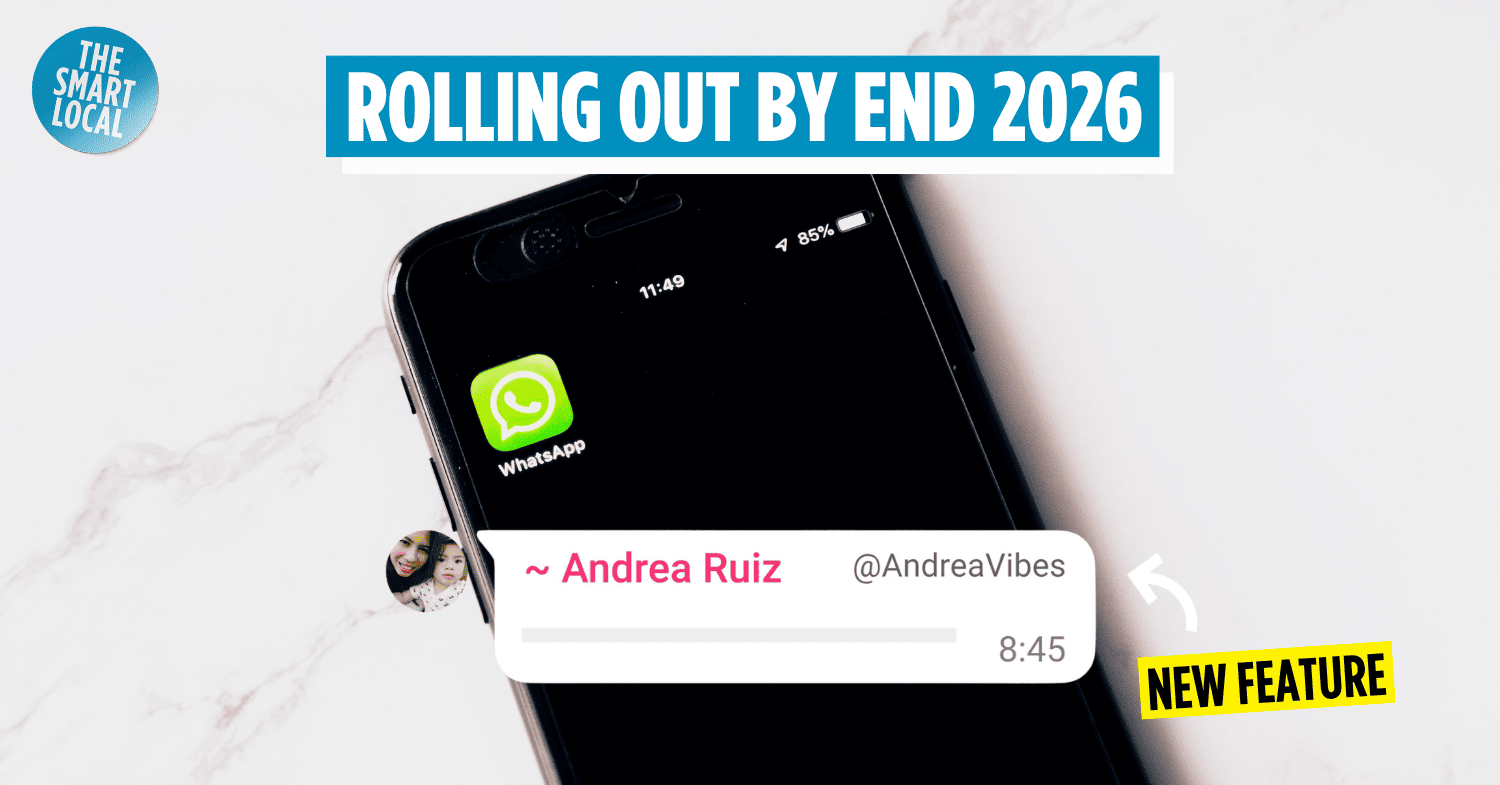
Thankfully, WhatsApp is giving us a better alternative. The messaging app is introducing usernames, so you’ll soon be able to chat with others without revealing your phone number. You can even reserve your preferred username before the feature officially rolls out!
Why is WhatsApp introducing a username feature?

Image adapted from: WhatsApp
Handing your phone number to someone you’ve just met can feel a little awkward and sometimes daunting. While Telegram users have long been able to connect by sharing usernames instead, WhatsApp is finally catching up.
P.S. Check out our article on other useful Telegram hacks.
Once the feature launches, you’ll be able to simply share your username instead of your phone number to start a chat. It’s a privacy upgrade for anyone who attends networking events, buys and sells items online, or just prefers keeping their personal number under wraps.
How can I reserve my WhatsApp username?
Image credit: Image Hunter via Pexels
Alas, with more than 3 billion users worldwide, snagging your ideal username isn’t going to be easy. But WhatsApp is letting users reserve their preferred usernames ahead of the official rollout. Your preferred username will be locked to your account and ready to use when the feature goes live.
Take note that username reservations are only available on the WhatsApp mobile app for now, so you won’t be able to reserve one via WhatsApp Web or Desktop.
If you’re not seeing the option to reserve your username yet, it’s because it’s being made available gradually, so it may take some time before it reaches your account.
For Android users
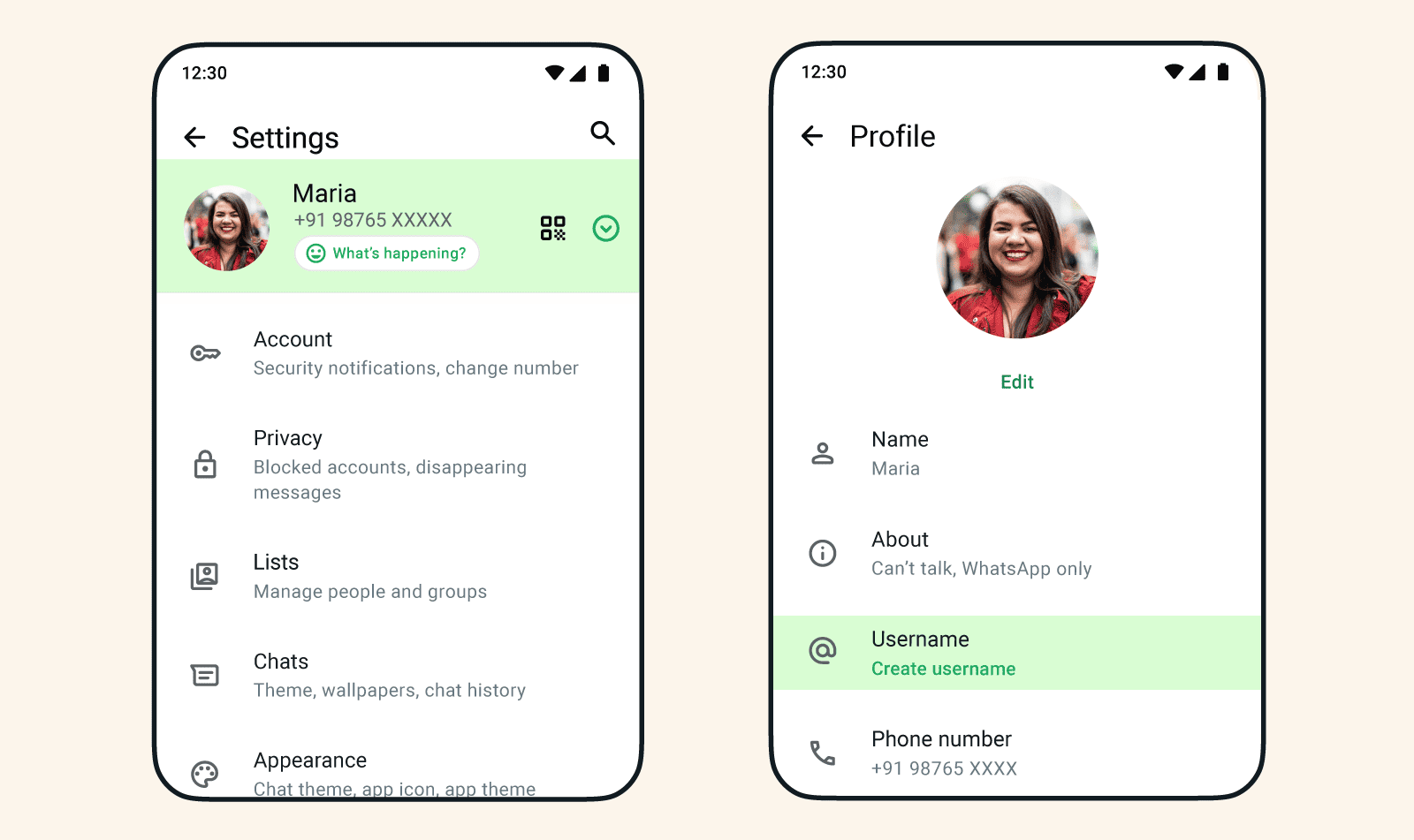 Image adapted from: WhatsApp
- Tap the 3-dot menu in the top-right corner.
- Select your profile.
- Tap Reserve username, followed by Create username.
- Enter your preferred username, then tap Save and Done.
For iOS users
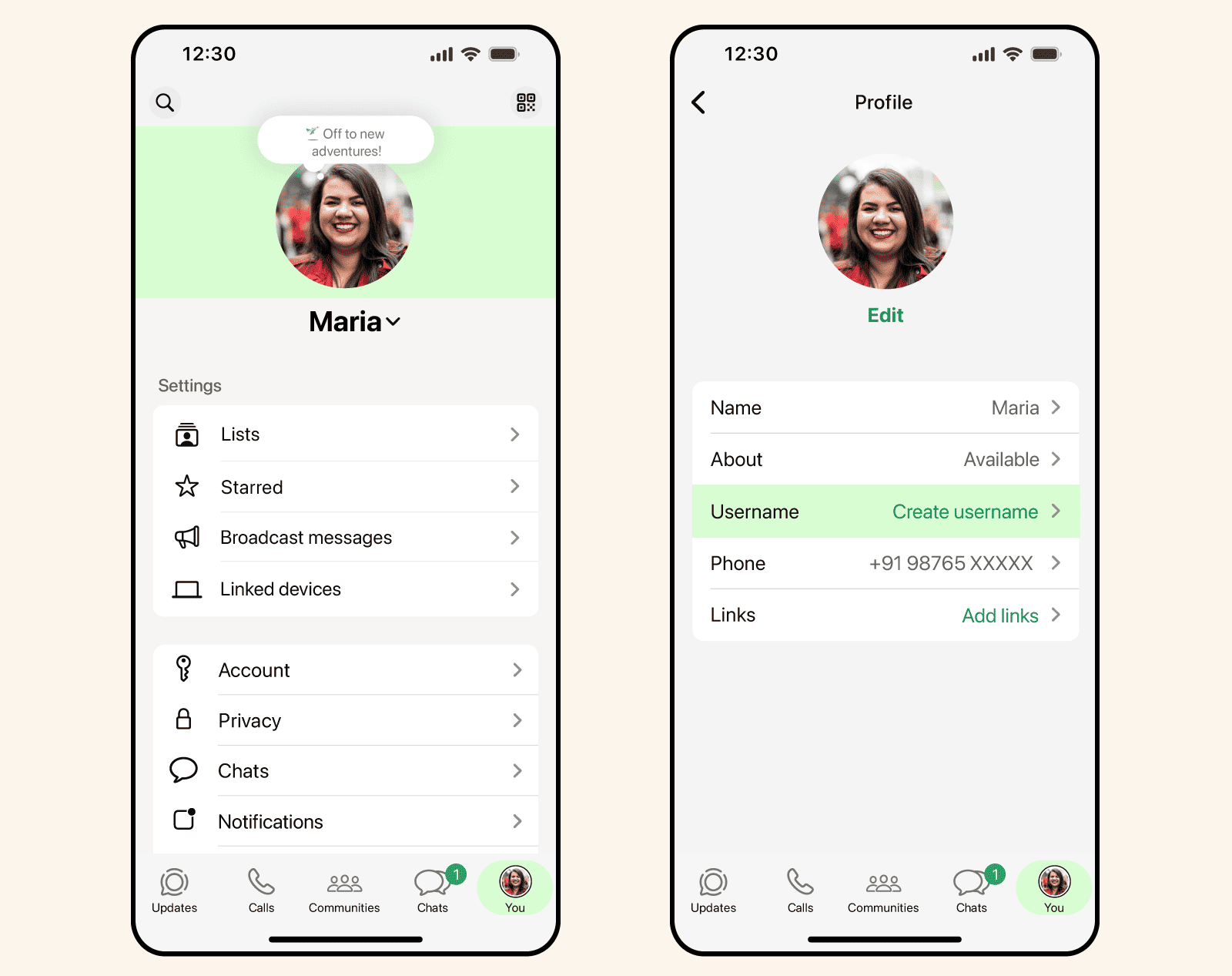
Image adapted from: WhatsApp
- Tap You in the bottom-right corner of the screen.
- Tap your profile.
- Select Reserve Username.
- Enter your preferred username, then tap Save and Done.
When will the username feature officially launch?
It should become available later in 2026, although WhatsApp hasn’t announced an exact launch date yet.
If you’ve successfully reserved a username, you’ll receive a notification once it’s ready to use and when the feature launches in your region.
And when that happens, anyone you message for the first time will see your username instead of your phone number, as long as you’ve enabled the feature.
Reserve your WhatsApp username before it gets taken
Go ahead and unleash your inner kiasu Singaporean. Better to reserve your dream username now than to spend the next few years wondering who beat you to it.
More tech-related articles:
Cover image adapted from: Image Hunter via Pexels, WhatsApp